How to Get More Google Reviews from Clients
Google reviews are critical for establishing credibility and demonstrating past client/customer satisfaction. Below is a quick and simple guide showing the easiest way to request more Google reviews for your business listing.
1. Find your Google My Business Profile
You must be logged-in to the Google account that owns or is a manager of the Google business listing. Click the top right icon and either login or check which account is currently active. As seen in the image below, my Sanico Software account is currently logged in.
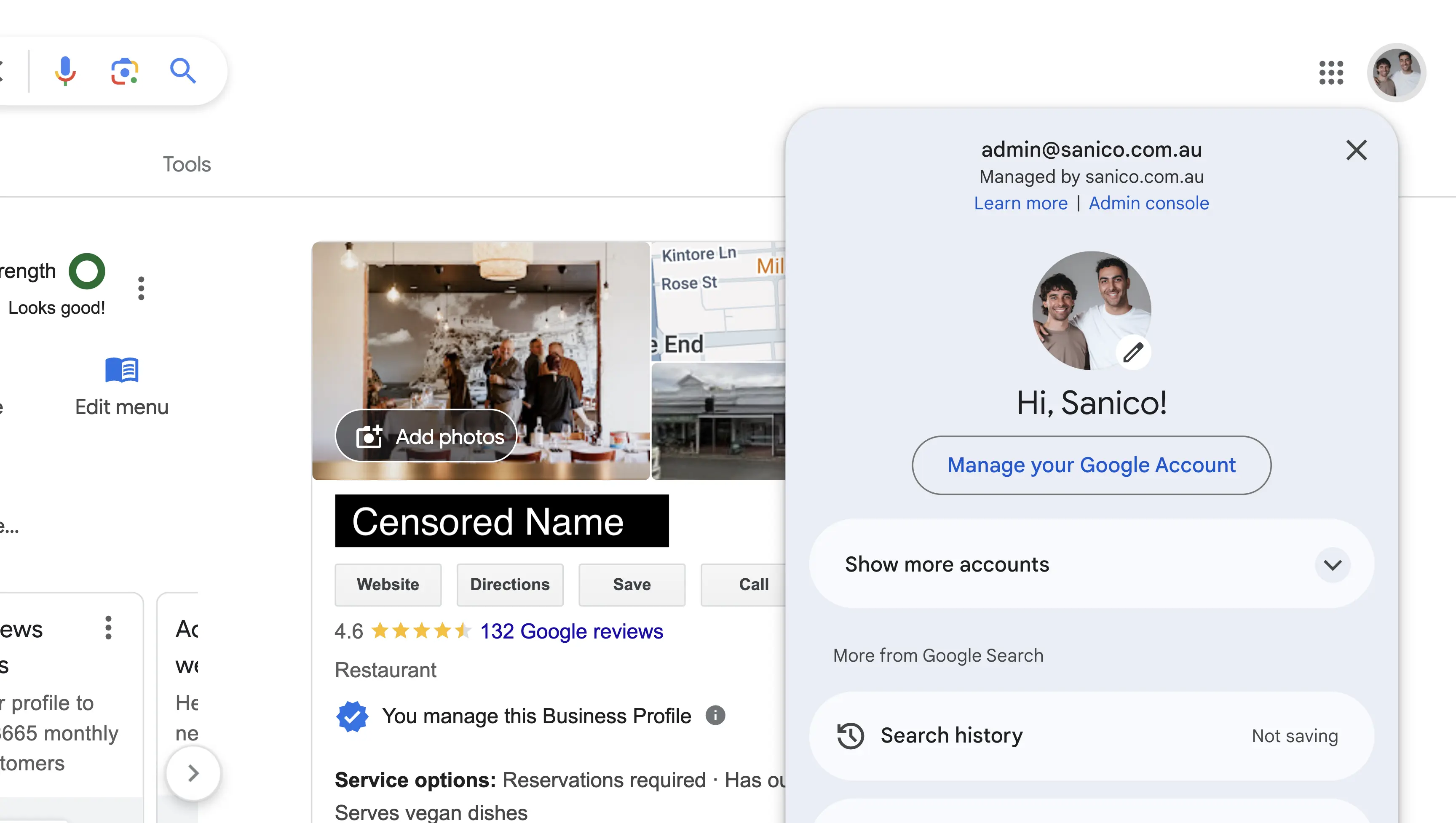
You will know if you have the correct access if you see a screen similar to below. You will have options to Edit Profile, Read Reviews, Add Photos etc. which is not shown if your account is not the owner or manager.
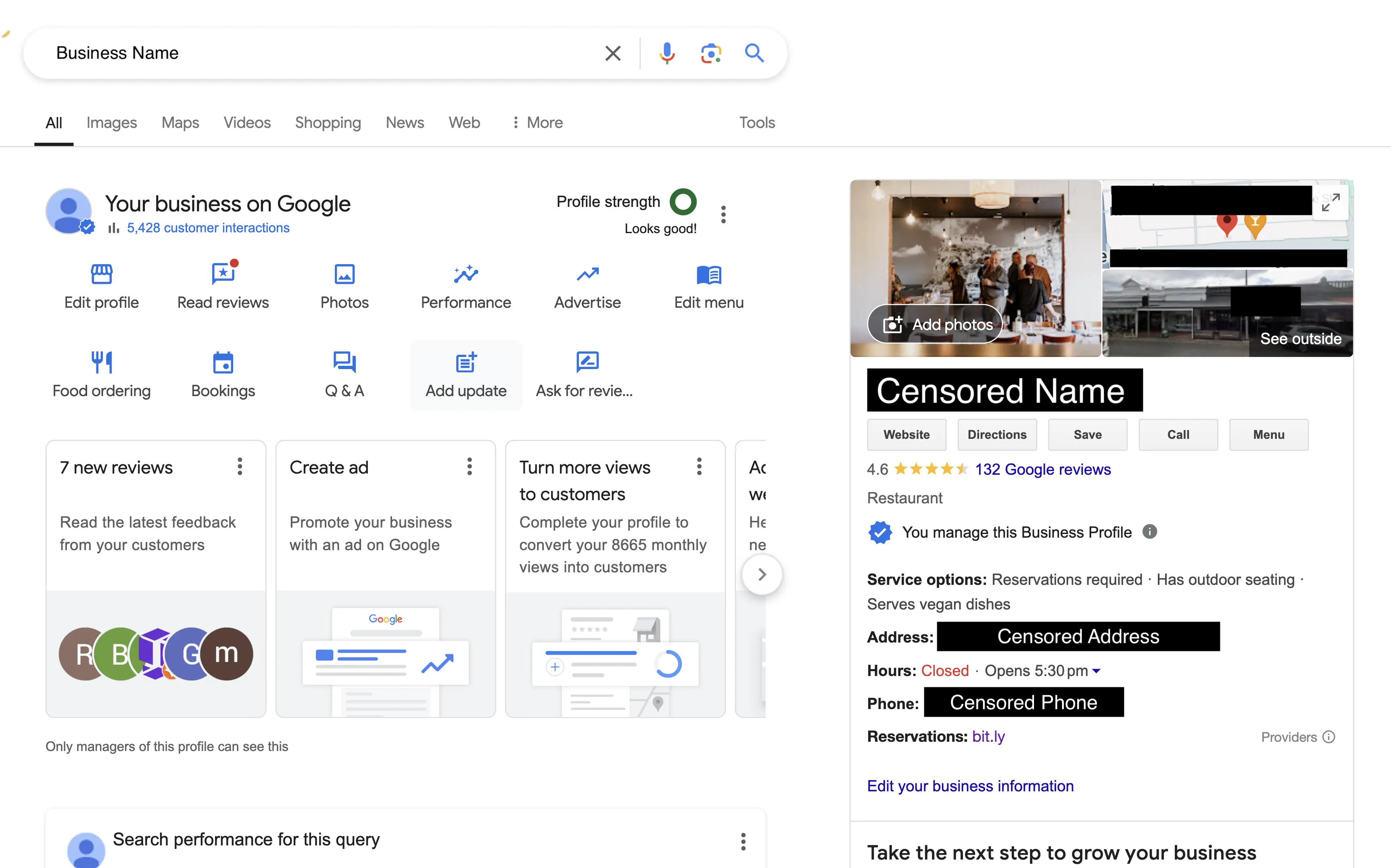
If you do not see these settings and you are the owner of the business, you may not have ownership of the business listing. You can head over to Google’s support article where Google explains how to request ownership of a listing.
2. Navigate to Read Reviews
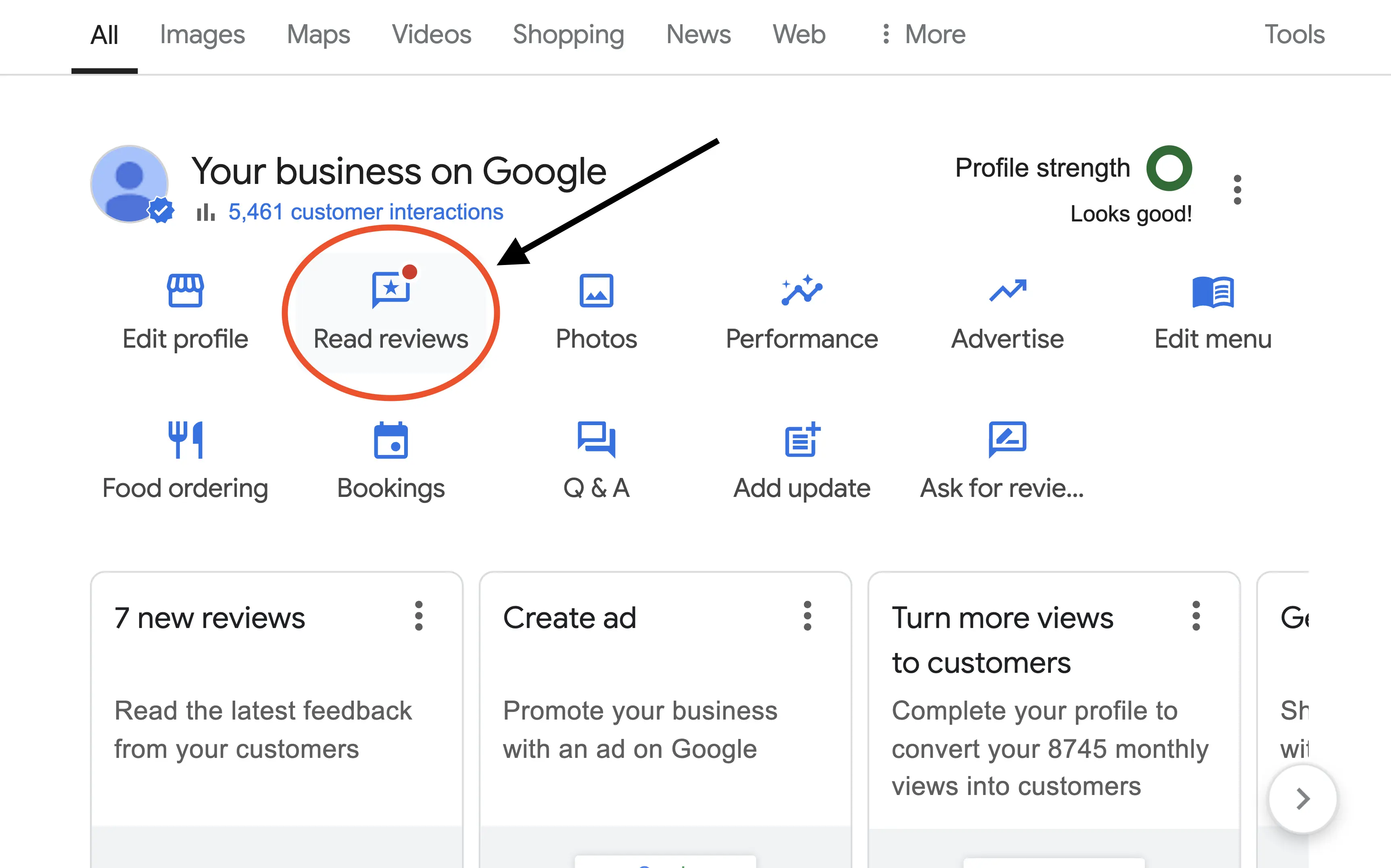
Assuming that you have the correct permissions to edit the business listing, click Read Reviews which will open a modal window.
3. Click Get More Reviews
You will now be viewing a modal window that displays past customer reviews. As a side note, ensure you respond to any previous customer reviews. An appreciative response shows authenticity from the owner.
Next to the previous …